
Visitor route
Use the map during Tour Mode to walk visitors from the classroom into Mission Control, through the support and engineering zones, and into the cyber range story.
Clickable SOTE map
The environment map turns the physical ecosystem into a navigable story: classroom, Mission Control, support command, patch bay, Rocket’s Forge, launch pad, engineering bay, briefing room, and cyber defense command.
This map is still not a measured floor plan, but it gives student guides and visitors a more realistic route for the SOTE tour. This page now uses the recovered approved facility tour map as the tour map baseline.
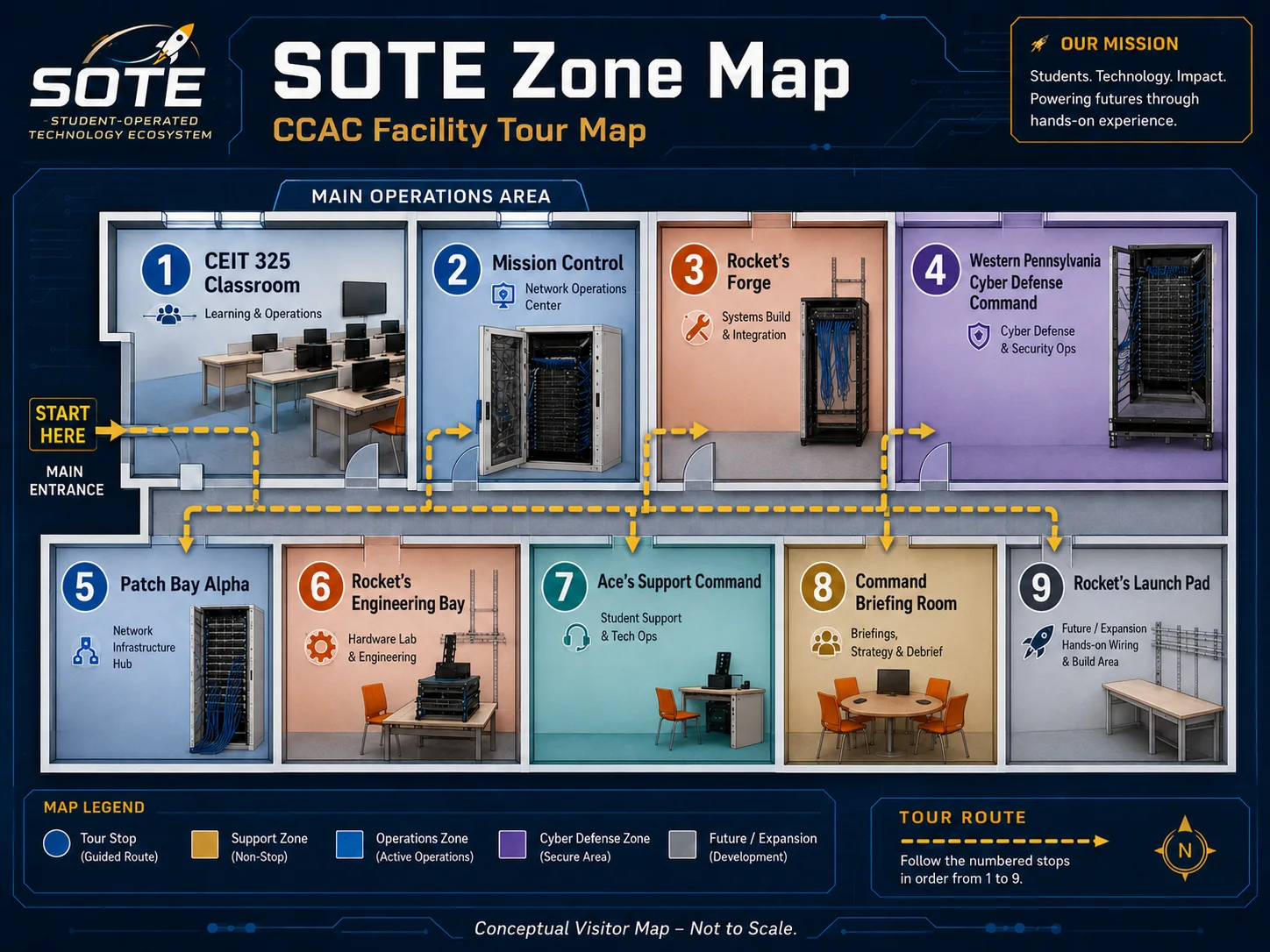
This is the first HTML version of the SOTE area map. The layout is conceptual, not a measured floor plan. A future version should be rearranged to match the actual CEIT 325 room and adjacent zones. It is designed to help visitors understand how the zones relate to each other and give students a visual way to navigate the ecosystem.
The main teaching room where student PCs become access terminals into SOTE.
Conference and visitor space for mission briefings, tours, planning, and project review.
Cyber range and defensive operations zone connected to Sir Kingston and controlled adversarial scenarios.
Network operations, console access, status visibility, and student operations.
Cable tracing, patching, uplinks, topology validation, and physical network discipline.
Teaching datacenter for Proxmox, templates, storage, Windows Server, Linux, and services.
Help desk, tickets, student support workflow, triage, and customer communication.
Cabling, termination, testing, physical infrastructure missions, and launch crew practice.
Research, staging, crash cart work, server prep, hardware testing, and experimental builds.
The map should eventually support photos, rack diagrams, approved visitor descriptions, and student-facing mission links.
Use the map during Tour Mode to walk visitors from the classroom into Mission Control, through the support and engineering zones, and into the cyber range story.
Students can click a zone and discover the missions, badges, tools, and responsibilities connected to that space.
Later versions can add photos, hover panels, real diagrams, sanitized status cards, or a Command Wall-friendly display mode.
This map comes from the recovered approved media set and should be used as the visual source for visitor tour orientation.